
Hyonix accepts cryptocurrency payments through Confirmo, a third-party crypto payment gateway. This guide walks you through the process from the invoice page to the payment confirmation.
Step 1: Select Cryptocurrency as the payment method
Open the unpaid invoice in your Hyonix Client Area (Billing > My Invoices), then:
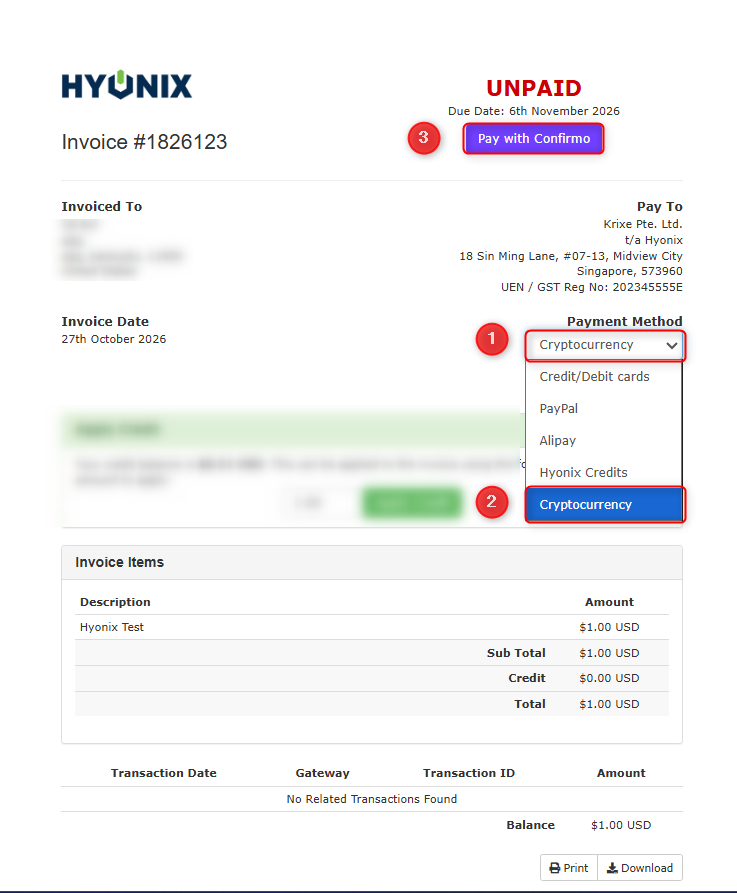
- Click the Payment Method dropdown at the top right of the invoice.
- Select Cryptocurrency from the list.
- Click the Pay with Confirmo button. You will be redirected to the Confirmo checkout page.
Step 2: Select the token
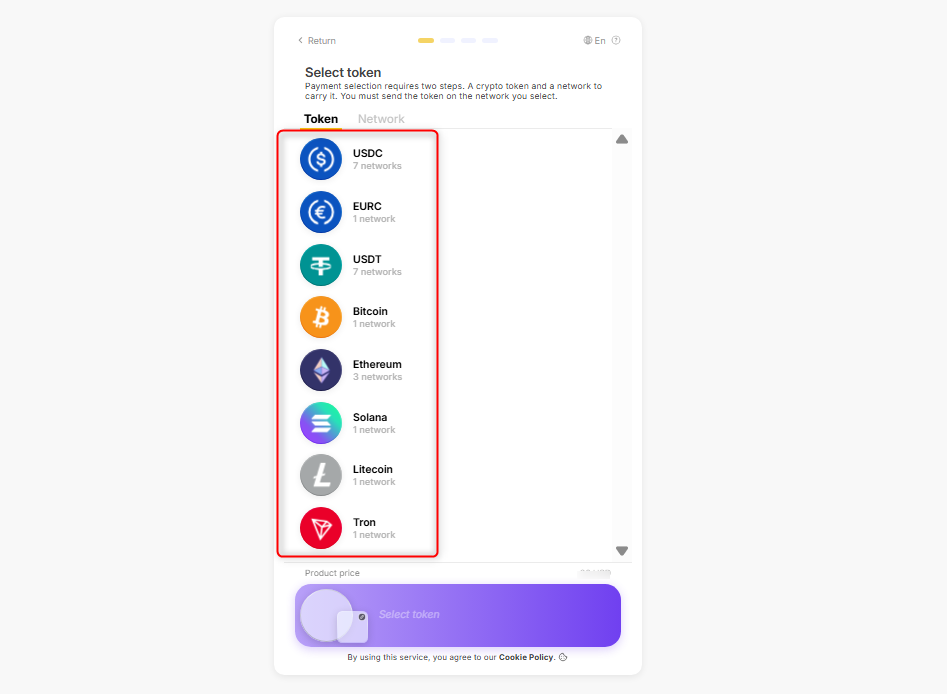
On the Confirmo page, choose the cryptocurrency (token) you want to pay with. Each token shows how many networks it supports.
Step 3: Select the network
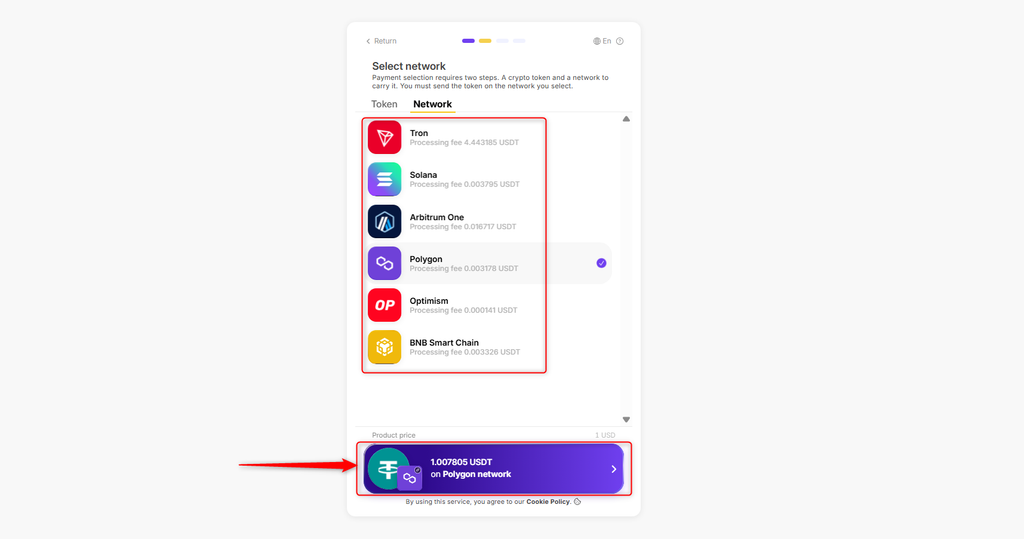
Next, choose the network you will send the token on. The processing fee for each network is shown under its name and is added to the total, so pick the network your wallet or exchange supports and that has the lowest fee. The exact amount to pay is shown in the purple bar at the bottom. Click it to continue.
Step 4: Send the payment
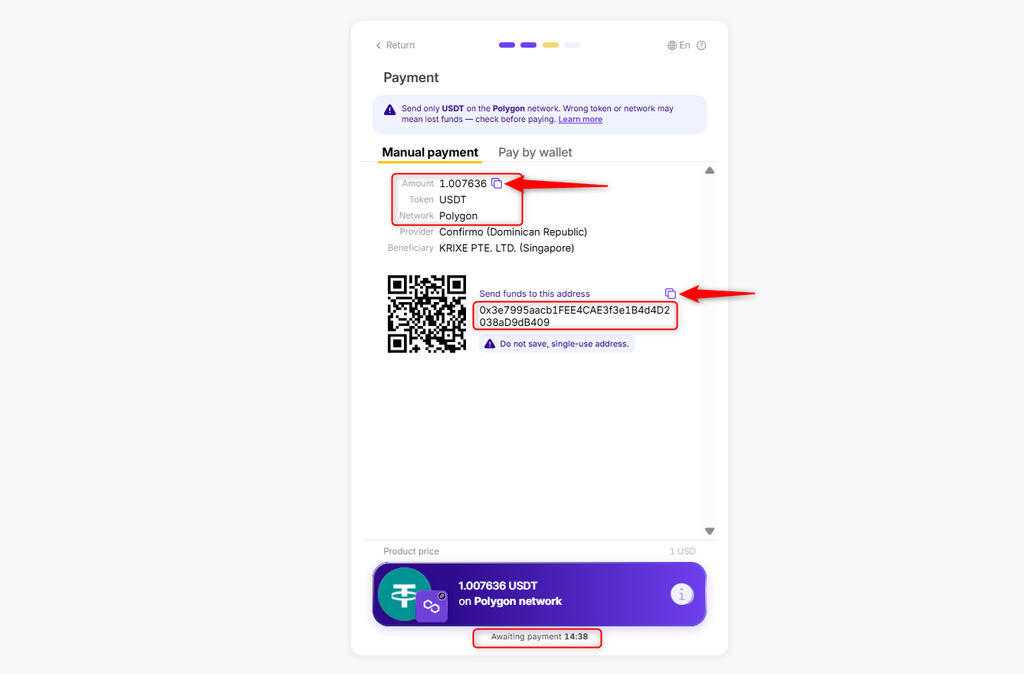
The payment page shows the exact amount, the token, the network and a single-use wallet address. You can either scan the QR code or copy the amount and address into your wallet or exchange withdrawal page.
Important:
- Send only the token you selected, on the network you selected. Funds sent with the wrong token or on the wrong network cannot be recovered.
- Send the exact crypto amount shown. If your wallet or exchange deducts a withdrawal fee, make sure the amount that arrives still matches the amount shown.
- Do not save or reuse the address. It is generated for this invoice only.
- Complete the transfer before the countdown at the bottom of the page expires. If it expires, return to the invoice and click Pay with Confirmo again to get a new address.
Step 5: Payment confirmation
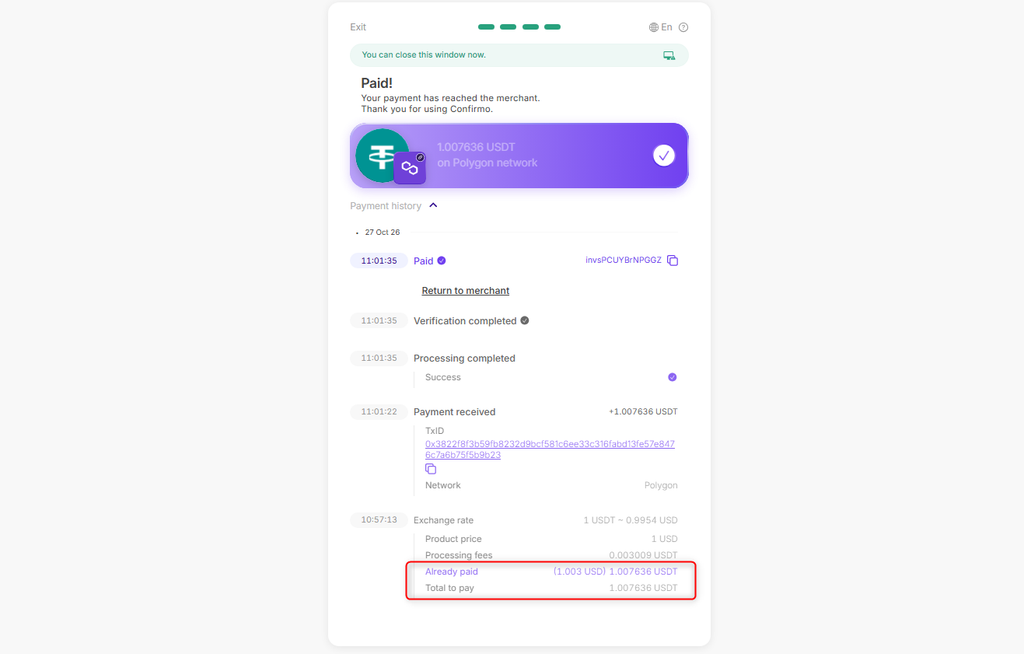
Once the transaction is confirmed on the network, the Confirmo page shows Paid! together with the payment history. If Already paid is equal to or larger than Total to pay, your invoice will be marked as Paid automatically and your service will be activated or renewed. You can click Return to merchant to go back to your Client Area.
Notes
- Confirmation time depends on the network. Most payments are confirmed within a few minutes, but Ethereum or Tron transfers may take longer during busy periods.
- If you sent less than the amount shown (for example because of a withdrawal fee), the payment will be marked as partial and the invoice will stay unpaid. You can pay the remaining amount on the invoice to fully complete the payment or open a ticket with our Billing team so we can guide you with that.
- If you sent more than the amount shown and the overpayment is over $0.5, you can claim a refund of the overpaid amount on the Confirmo invoice page. Overpayments below the minimum refundable amount cannot be refunded, because the network fee would exceed the amount returned.
- If your invoice is still unpaid 30 minutes after the network confirmed your transaction, please contact support with the invoice number and TxID.