
If you want a RDP icon on your desktop and when you open it, it will login to your server automatically, please follow the below steps.
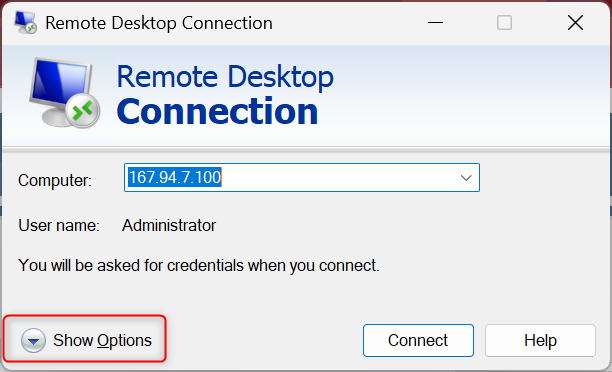
1.Click Show Options
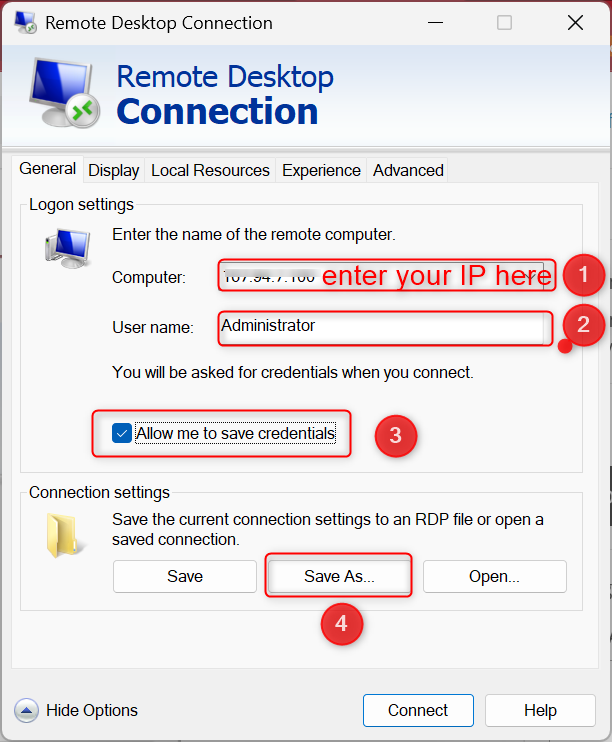
2. Enter your server IP into Computer field, enter your server username, tick Allow me to save credentials, and click Save As
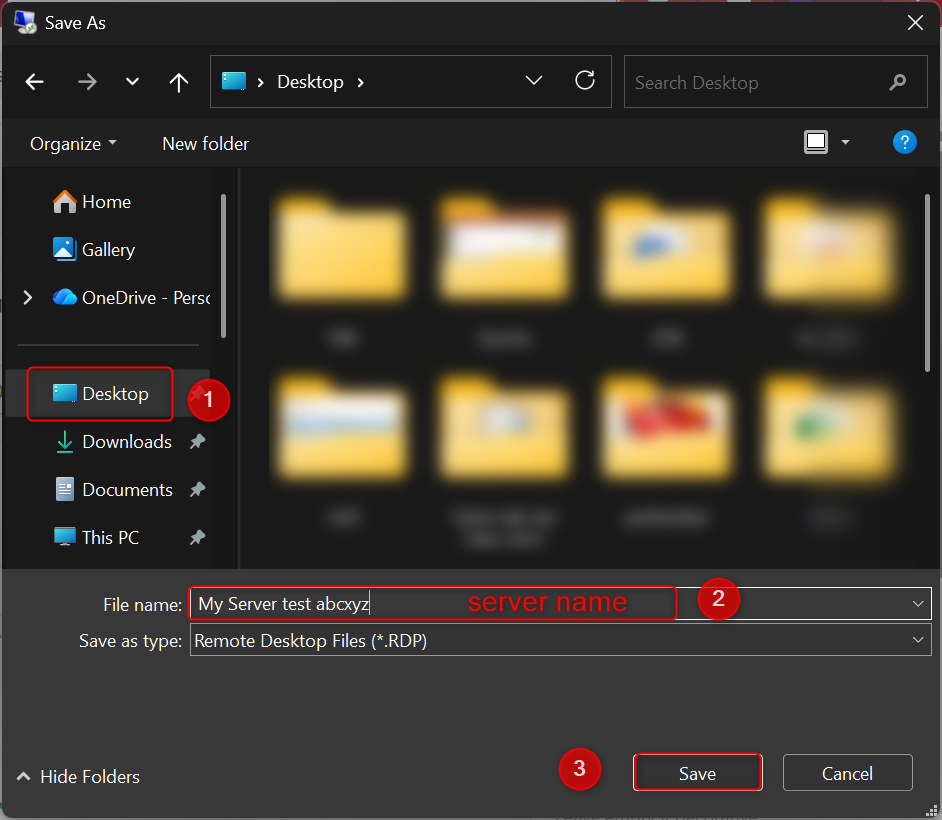
3. Choose the location that you want to have the RDP icon, enter referrence name and click Save
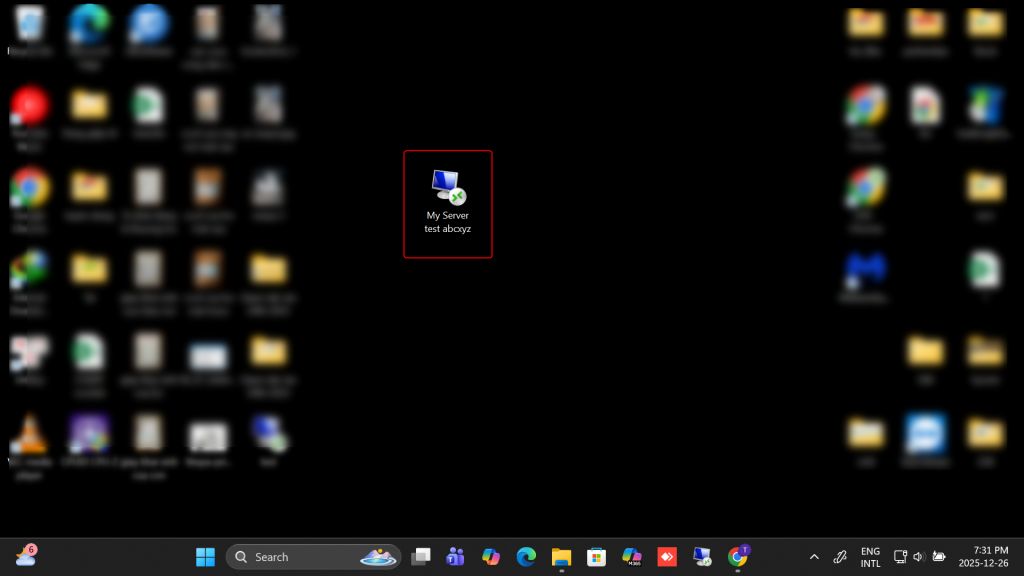
4. Go to that location and open the RDP file that you have just saved
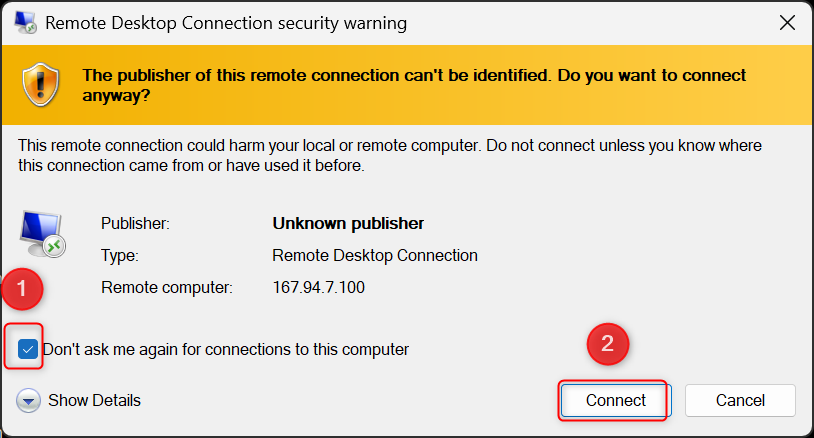
5. Tick Dont ask me again anf click Connect
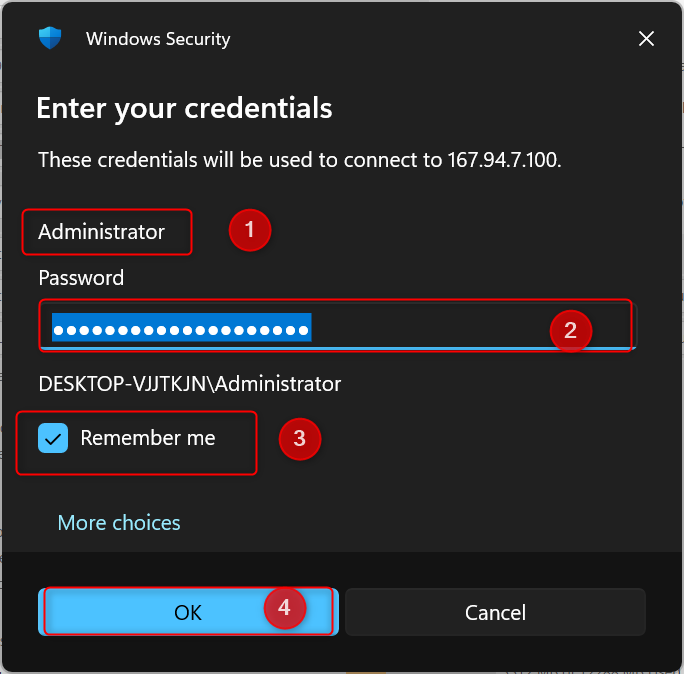
6. Enter your server username, password, tick Remember me and OK
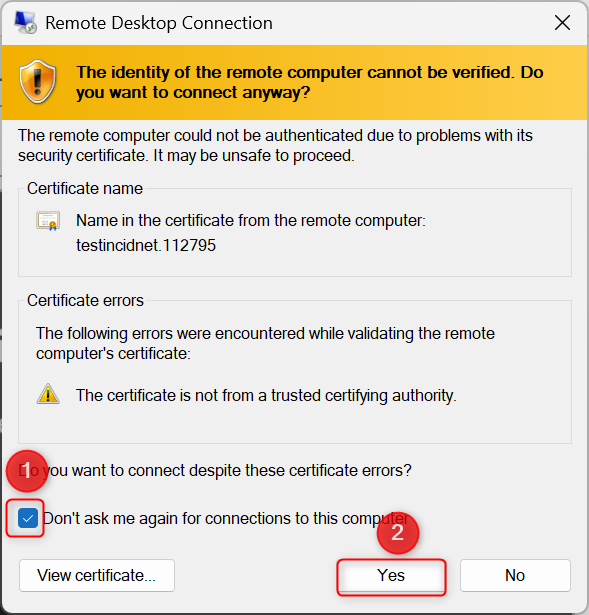
7. Tick Dont ask me again and Yes
8. Done. From now on, you simply need to open the RDP file and your server will be automatically opened.